%20scale(0.1,-0.1)'%20fill='%23FFFFFF'%20stroke='none'%3e%3cpath%20d='M3797%203013%20c-4%20-3%20-7%20-97%20-7%20-209%20l0%20-202%2030%20-25%2030%20-25%20701%20-1%20702%200%2024%20-22%2023%20-22%200%20-107%200%20-107%20-23%20-21%20-23%20-22%20-366%200%20-366%200%20-4%20-27%20c-2%20-16%20-2%20-78%200%20-139%20l4%20-112%20202%20-165%20c110%20-91%20262%20-215%20336%20-276%20l134%20-111%20425%200%20425%200%20-19%2019%20c-11%2010%20-127%20111%20-257%20225%20-131%20114%20-238%20211%20-238%20217%200%205%2035%209%2079%209%20l78%200%20117%20125%20116%20125%200%20299%200%20299%20-17%2019%20c-10%2011%20-79%2075%20-154%20141%20l-137%20122%20-904%200%20c-498%200%20-908%20-3%20-911%20-7z%20M6167%203013%20c-4%20-3%20-7%20-97%20-7%20-208%20l0%20-202%2023%20-21%2023%20-22%20736%200%20736%200%2029%20-33%2030%20-34%202%20-290%202%20-291%20-31%20-36%20-32%20-36%20-444%200%20-444%200%200%20305%200%20305%20-315%200%20-315%200%200%20-515%200%20-515%20976%200%20975%200%20122%20113%20122%20114%200%20554%200%20553%20-153%20133%20-152%20133%20-938%200%20c-516%200%20-942%20-3%20-945%20-7z%20M8793%203013%20l-163%20-3%200%20-795%200%20-795%20305%200%20305%200%200%20434%200%20433%2025%20-5%20c14%20-2%20169%20-129%20353%20-288%20180%20-156%20330%20-284%20333%20-284%203%200%20140%20120%20305%20266%20293%20260%20346%20304%20372%20304%20l12%200%200%20-430%200%20-430%20300%200%20300%200%200%20794%200%20794%20-22%205%20c-13%203%20-159%206%20-325%206%20l-302%202%20-158%20-139%20c-87%20-76%20-216%20-190%20-287%20-253%20-71%20-63%20-144%20-127%20-163%20-143%20l-34%20-29%20-27%2025%20c-15%2014%20-110%2098%20-212%20188%20-102%2090%20-229%20203%20-282%20252%20l-98%2088%20-167%200%20c-93%200%20-177%202%20-188%203%20-11%202%20-93%201%20-182%200z%20M11727%202963%20c-34%20-32%20-92%20-87%20-129%20-122%20l-68%20-65%200%20-568%200%20-567%20123%20-110%20122%20-111%20845%200%20845%200%20123%20116%20122%20116%200%20561%200%20561%20-127%20122%20-128%20123%20-833%201%20-833%200%20-62%20-57z%20m1326%20-431%20l27%20-26%200%20-305%200%20-305%20-27%20-28%20-27%20-28%20-407%200%20-407%200%20-31%2026%20-31%2026%200%20301%200%20301%2031%2032%2032%2033%20406%200%20406%20-1%2028%20-26z%20M14098%203012%20l-158%20-3%200%20-794%200%20-795%20305%200%20305%200%200%20431%200%20431%2016%20-6%20c9%20-3%2020%20-6%2025%20-6%206%200%2074%20-62%20152%20-138%2078%20-76%20239%20-226%20357%20-333%20118%20-108%20260%20-237%20314%20-287%20l100%20-92%20288%200%20288%200%200%20795%200%20795%20-305%200%20-305%200%200%20-379%200%20-379%20-24%206%20c-14%204%20-78%2052%20-143%20108%20-357%20306%20-734%20624%20-756%20638%20l-24%2016%20-139%20-2%20c-76%20-2%20-210%20-4%20-296%20-6z%20M16290%202877%20l0%20-132%2093%20-93%2092%20-92%20895%200%20895%200%2093%2093%2092%2092%200%20133%200%20132%20-1080%200%20-1080%200%200%20-133z%20M1733%202693%20c-316%20-438%20-684%20-947%20-776%20-1073%20l-107%20-145%200%20-27%200%20-28%20338%200%20337%201%2078%2094%2078%2095%20577%20-1%20577%200%2075%20-95%2075%20-94%20337%200%20338%200%200%2026%200%2027%20-65%2088%20c-36%2049%20-93%20128%20-128%20177%20-35%2048%20-158%20218%20-273%20377%20-116%20160%20-279%20386%20-364%20503%20l-153%20212%20-423%200%20-422%200%20-99%20-137z%20m657%20-443%20c68%20-96%20149%20-211%20181%20-256%2033%20-44%2059%20-84%2059%20-87%200%20-4%20-169%20-7%20-375%20-7%20-206%200%20-375%203%20-375%206%200%203%2059%2090%20132%20193%2072%20102%20156%20221%20186%20264%2030%2043%2058%2075%2062%2070%204%20-4%2063%20-87%20130%20-183z%20M3790%201935%20l0%20-515%20310%200%20310%200%200%20515%200%20515%20-310%200%20-310%200%200%20-515z%20M17040%201935%20l0%20-515%20313%202%20312%203%203%20513%202%20512%20-315%200%20-315%200%200%20-515z'/%3e%3c/g%3e%3cg%20transform='translate(0,480)%20scale(0.1,-0.1)'%20fill='%23FF000D'%20stroke='none'%3e%3cpath%20d='M2204%203363%20c-26%20-37%20-85%20-120%20-129%20-183%20-45%20-63%20-100%20-142%20-123%20-174%20-23%20-33%20-42%20-63%20-42%20-68%200%20-4%20155%20-8%20345%20-8%20190%200%20345%203%20345%206%200%206%20-323%20468%20-340%20487%20-4%205%20-29%20-22%20-56%20-60z'/%3e%3c/g%3e%3c/svg%3e "Ardmont")
Guide
Custom Foam Insert Guide
How custom foam works, layout options, pick-and-pluck vs custom-cut foam, color foam, identification markings, and the files we need.
Overview
Practical guidance
Custom foam turns a general-purpose case into a purpose-built kit. It protects sensitive equipment from impact, keeps items organized, and communicates a professional standard when the case is opened in front of a client or crew.
How custom foam works
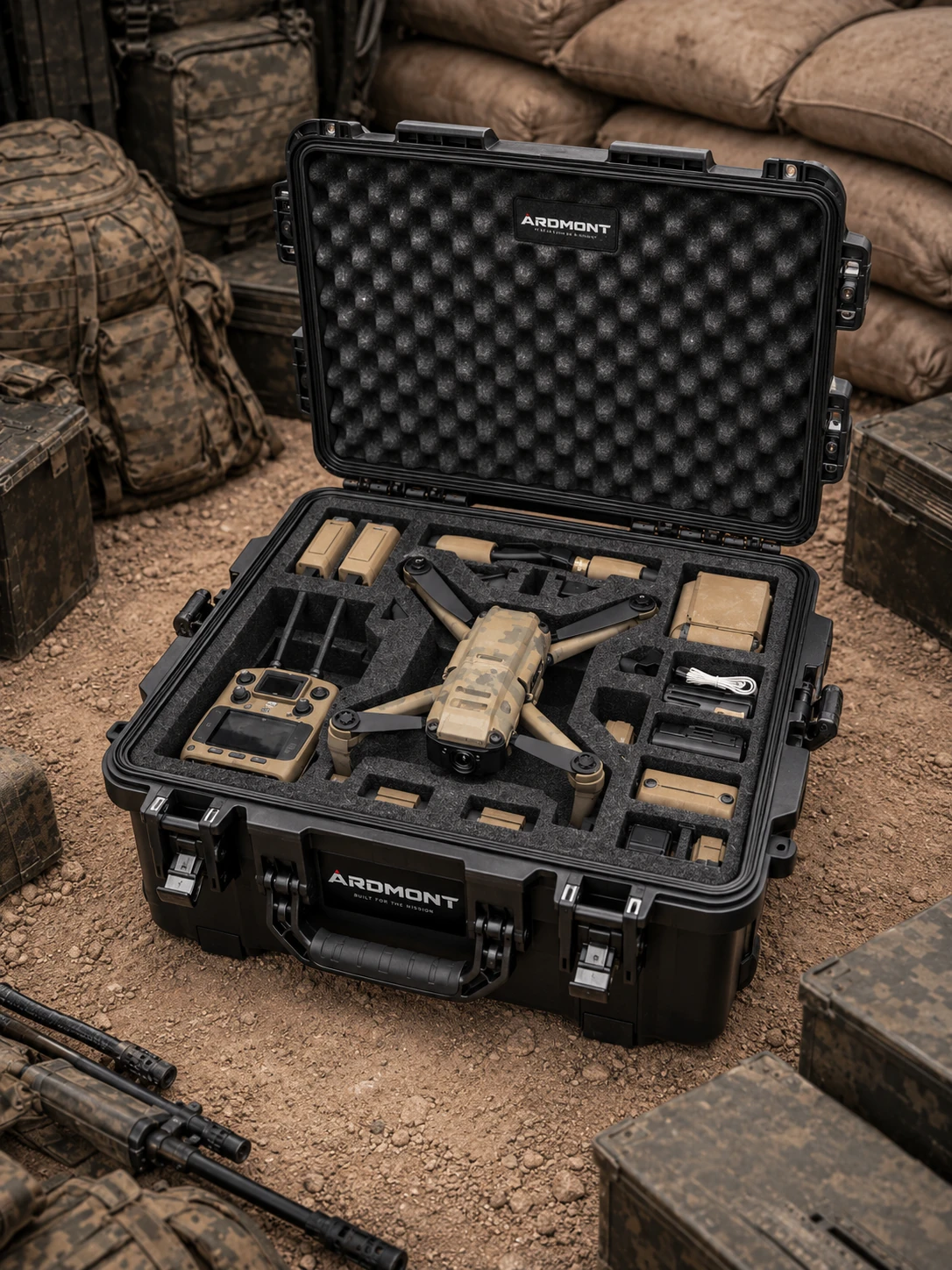
Every item receives a precision cavity sized to its footprint. Cavities are laid out on a CAD drawing, then cut into layered foam. The top layer typically holds handling cutouts (finger loops) for lifting each item.
Pick-and-pluck vs custom-cut
Pick-and-pluck foam ships pre-scored in small cubes, pluck out what you need to shape a cavity. It is fast and low cost but the cavity edges are stepped. Custom-cut foam is CNC-machined to your layout with smooth, exact cavities and a professional finish.
Colored foam and contrast layers
A high-contrast bottom layer (often bright red) makes missing items obvious at a glance. Useful for kit audits, armory checks, medical trays, and rental gear returns.
Identification and photos
Foam can be printed, laser-etched, or die-cut with item labels, asset identifiers, and contract-specified markings. Photo-realistic prints on top-layer foam identify each cavity and speed training.
Reference
What we need from you
| Input | Format |
|---|---|
| Equipment list | PDF or spreadsheet with quantities |
| Dimensions | Length × width × height for each item (mm or inches) |
| Photos | Top-down photos with a ruler for scale |
| Drawings (preferred) | DXF, DWG, STEP, or PDF outlines |
| Layout preference | Sketch, photo, or written description |
Note
Prototype first for complex kits
For layouts with 15+ items or unusual shapes, a physical prototype confirms fit before you commit to a production run.
Related products
Product lines to explore
Protective Cases
Hard Protective Cases
General-purpose, waterproof, dry box, long, micro, lightweight, tool, vehicle and wheeled cases.
View line
Protective Cases
Medical & First Aid Cases
Medical-device, EMS and rescue cases, and empty first aid boxes.
View line
Protective Cases
Electronics, Cameras & Drones
Cases for laptops, cameras, optics, drones, radios and field instruments.
View line
Related solutions
Where this applies
Need help applying this to your project?
Submit equipment, quantities, and use environment, we'll recommend the right configuration and send relevant documentation.
Request a Quote